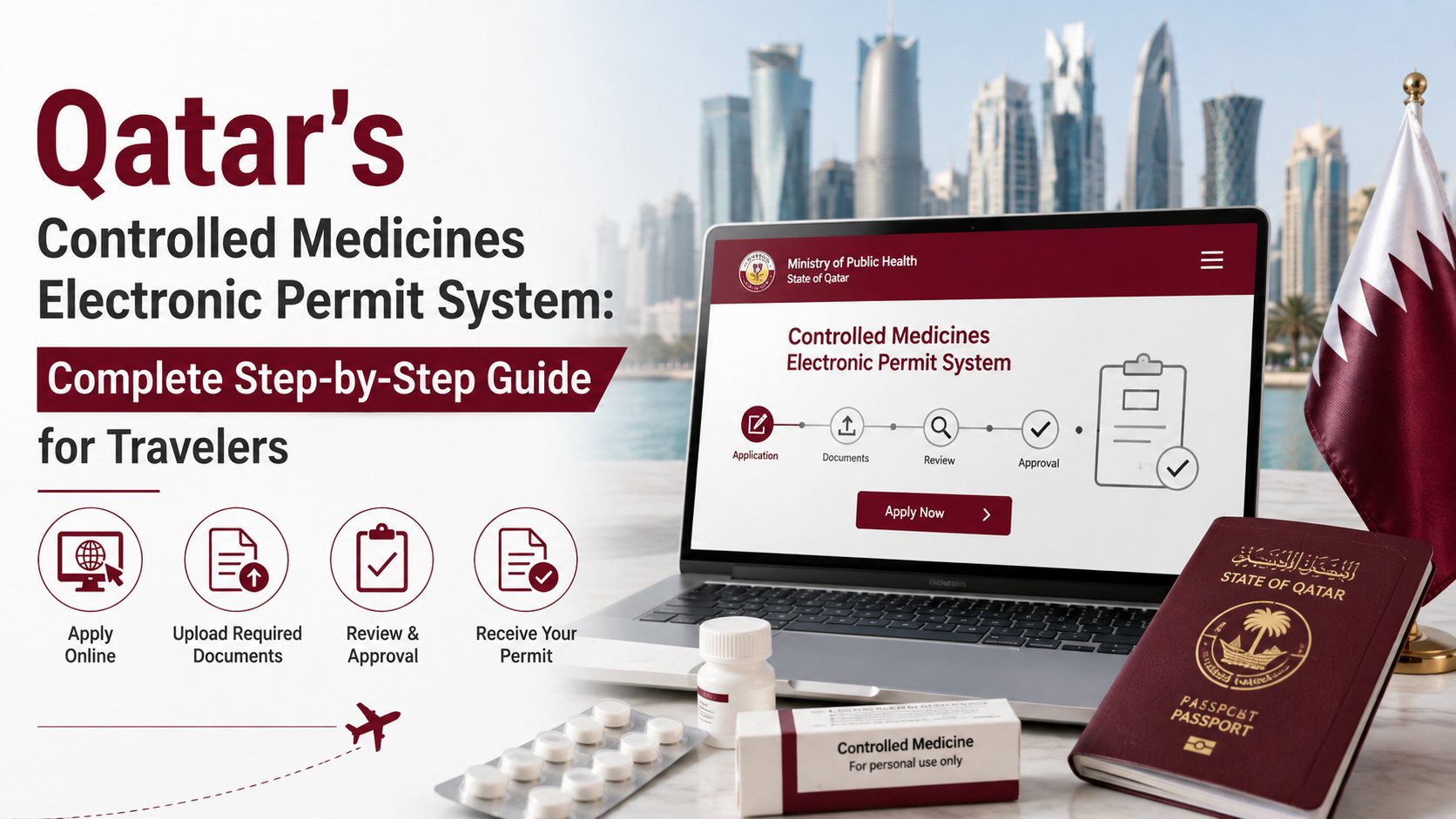
We just reviewed Qatar’s official Ministry of Public Health user guide for the new electronic permit system, and it’s comprehensive. But the 8-page government document can be confusing for travelers who just want to know: “How do I travel with my medications?”
At TBC QA, we’ve helped dozens of expats and business travelers navigate this system. Let’s break down the official process into practical steps you can actually follow.
What You Need to Know First Medicines Electronic Permit System
Qatar’s Controlled Medicines System is an electronic permit system that lets you get approval to travel with prescription medications that are controlled or psychotropic substances.
This applies to:
- Psychiatric medications (antidepressants, anti-anxiety meds, sleeping pills)
- ADHD medications (Ritalin, Adderall, stimulants)
- Pain medications (opioids, tramadol, codeine)
- Hormone-related medications (certain fertility treatments, HRT)
- Some anticonvulsants
- Certain antibiotics
- Some cardiac medications
The system is online: Everything happens through the Ministry of Public Health’s electronic portal. No more mailing documents. No more waiting for paper letters. You apply online, get approved electronically, and carry your permit on your phone or printed.
Processing time: Applications are approved or rejected within three working days after all requirements are met. But the Ministry advises submitting at least five working days before your travel date to account for processing time.
Step-by-Step: How to Apply
Step 1: Go to the Official Portal
Visit: https://fli.moph.gov.qa
This is the only official system. Don’t use any other site. Bookmark it if you travel frequently.
Step 2: Register or Login
Click “Traveller Register/Login with NAS” (NAS is Qatar’s National Authentication System).
First time users: Create an account in the NAS system with:
- Passport number
- Mobile number
- Email ID
- Name
- Date of birth
Returning users: Login with your QID number, passport number, or email.
Step 3: Click “Add a Request”
Once logged in, you’ll see the main dashboard. Click “Add a Request” to start your permit application.
Step 4: Complete Your Profile
The system asks for personal details:
- Name (English and Arabic)
- QID or Passport Number
- Passport Number
- Mobile Number
- Email Address
- Date of Birth
- Gender
- Nationality
- Place of Birth
Click “Update Profile” to save.
Step 5: Add Companion Details (If Applicable)
If someone is traveling with you (a family member, caregiver), add their information:
- Name (English and Arabic)
- Passport Number
- Mobile Number
- Email Address
This is optional. Only fill this if someone is physically traveling with you.
Step 6: Fill in Travel Information
This is critical because the permit is specific to your travel dates and destination.
If you’re arriving to Qatar:
- Travel Destination: Select “Arriving to Qatar”
- Practitioner Name (your doctor’s name in English and Arabic)
- Port of Entry/Exit: Select where you’ll enter (Hamad International Airport, Doha Port, Land Border, etc.)
- Emergency Contact Name (English and Arabic)
- Emergency Contact Number
If you’re departing from Qatar:
- Travel Destination: Select “Departure From Qatar”
- Are you from HMC (Hamad Medical Corporation)? Select Yes or No
- If YES: Enter the doctor’s name from HMC
- If NO: Enter the doctor’s license number from the private healthcare facility
This is important: The doctor’s information must be accurate. If you’re leaving Qatar, you’ll need your doctor’s license number if they’re from a private clinic.
Step 7: Fill in Other Travel Details
- Expected Arrival/Departure Date (the exact date you’re traveling)
- Country of Departure (where you’re coming from)
- Destination Country (usually Qatar, unless you’re departing)
Step 8: Enter Your Medication Details
This is the most detailed part. For each medication you’re carrying:
Required information:
- Diagnosis (what you’re being treated for—this stays confidential)
- Active Ingredient (the actual medication name, not the brand name. You can select from a dropdown or type “Other” if not listed)
- Pharmaceutical Dosage Form (tablets, capsules, injection, liquid, etc.)
- Prescription Duration (how many days your prescription covers)
- Strength/Concentration (the dose written on your medicine box)
- Pack Size (how many tablets/capsules per pack)
- Quantity (total number of packs you’re carrying)
- Brand Name (the trade name—e.g., Prozac, Lexapro)
Critical: Only list the exact quantities you’re actually carrying. If your permit says you can carry 30 tablets and you carry 31, that’s a violation.
The system allows up to 5 different active ingredients (if you take multiple medications). Use the “Add” button to add multiple medications.
Step 9: Upload Supporting Documents
The Ministry requires clear copies of:
Mandatory documents:
- Copy of QID or Passport
- Medical Prescription (actual prescription from your doctor)
- Medical Report (a letter from your doctor explaining the medical necessity)
- Photos of the Medication (multiple images of your actual medicine boxes are allowed)
Optional documents:
- Any other supporting documents (if you have more information to include)
- Comments (use this to explain any special circumstances)
File requirements:
- File types: jpg, jpeg, gif, png, doc, docx, pdf
- Maximum file size: 2 MB per file
Step 10: Review and Submit
Before submitting, review all your details:
- Profile information correct?
- Travel dates accurate?
- Medications listed correctly with exact quantities?
- All documents uploaded?
Once you’re certain everything is correct, check the approval pledges box and click “Submit.”
After You Submit: What Happens Next
Status: “Submitted”
Once submitted, your application shows status as “Submitted.” At this stage, there’s no permit number yet because the Ministry hasn’t reviewed it.
Processing (typically 1-3 working days)
The Ministry’s pharmacy and drug control department reviews your application. They verify:
- Your medical necessity
- Your doctor’s credentials
- The medications you’re carrying
- The quantities are reasonable
Approval (or Rejection)
Within three working days, your application status changes to either “Approved” or “Rejected.”
If Approved: You’ll receive an official permit letter with a permit number. This letter is valid for 90 days from approval. You must travel within those 90 days or the permit expires and you’ll need to apply again.
If Rejected: The Ministry may reject if:
- Documentation is incomplete or unclear
- The medication isn’t approved in Qatar
- The quantities seem excessive
- Doctor’s credentials can’t be verified
If rejected, you can reapply with corrected information.
What to Carry When You Travel
Essential documents:
- Printed permit letter (or screenshot on your phone)
- Original prescription from your doctor
- Original medical report from your doctor
- Photos of your medication boxes
- Your passport
At customs: If asked about your medications, show your permit number and your approved permit letter. That’s it. You’re legal. No problems.
Critical Details (From Official Guide)
The permit is 90 days from approval. If you don’t travel within 90 days, the permit expires. You’ll need to resubmit a new application.
Only carry approved quantities. Your permit specifies exactly how much you can carry. Customs counts. Carrying more is a violation.
You need separate permits for entry and exit. If you’re leaving Qatar with medications, that requires a separate permit application for departure.
The permit must be printed and carried. The electronic permit is official, but customs expects to see a physical copy. Print it or have it available on your phone.
Withdrawal is permanent for that trip. If you withdraw your application, you can’t use it again. You’ll need a new application for your next trip.
Common Mistakes Travelers Make
Mistake #1: Assuming your medication is allowed
Just because you take it legally in your home country doesn’t mean it’s approved in Qatar. Some medications are restricted. Always check the approved medications list on the Ministry portal before applying.
Mistake #2: Waiting until the last minute
The Ministry says submit five working days before travel. Respect that timeline. If there are missing documents or questions, you need time to provide answers before your flight.
Mistake #3: Carrying different quantities than approved
If your permit approves 30 tablets and you carry 50, customs can confiscate all of them. Only carry what your permit allows.
Mistake #4: Not realizing the permit expires
Your permit is valid for 90 days from approval. If your travel dates change or you postpone your trip beyond 90 days, you need a new permit.
Mistake #5: Not having your doctor’s information correct
The Ministry contacts doctors to verify credentials. If the doctor’s name, license number, or facility is wrong, your application might be delayed or rejected. Double-check this information.
Specific Guidance by Situation
I’m an Expat Moving to Qatar
Apply for your permit BEFORE you arrive. Start the application process as soon as you book your flight. You need:
- Doctor’s letter (from your home country) explaining medical necessity
- Copy of your prescription
- Photos of your medication boxes
Submit everything, get approval, then travel with your approved permit.
I’m a Business Traveler Visiting Qatar
Same process, but do it ASAP after booking travel. Medications might be restricted or require special approval. Give yourself at least two weeks before your trip, not five days.
I’m Leaving Qatar to Visit Family
This is a “Departure from Qatar” permit. You need:
- Letter from your doctor in Qatar (if you have one)
- Or your doctor’s license number if they’re from a private clinic
- The permit specifically approves your departure dates
This is different from arrival permits, so submit a separate application.
My Medication Isn’t on the Approved List
The system has a dropdown of pre-approved medications. If yours isn’t listed, select “Other” and type the active ingredient name. The Ministry will review it. This might take a bit longer, so apply extra early (2-3 weeks before travel).
When to Get Help
Most travelers can handle this alone if they follow the steps. But get professional help if:
- Your medication isn’t on the approved list and you’re not sure how to describe it
- You’re traveling with multiple medications and not sure which are controlled
- Your doctor is overseas and you need to provide their credentials
- Your application was rejected and you don’t understand why
At TBC QA, we help expats navigate Qatar’s healthcare and travel compliance. While medical permits are handled by the Ministry, we can guide you through the process and connect you with healthcare consultants if needed.
Key Takeaways
 Apply at https://fli.moph.gov.qa
Submit at least 5 working days before travel
Have your doctor’s name and credentials ready
List exact quantities you’re carrying
Upload clear copies of prescription, medical report, medication photos
Carry your printed permit letter when traveling
Remember the permit is valid for 90 days from approval
Only carry what your permit approves
Need Help With Your Permit Application?
If you’re an expat or business traveler navigating Qatar’s regulations, TBC QA can help. We work with the Ministry and healthcare facilities to ensure your compliance.



Leave A Comment